


NSC Ordering for Clove Hill Products

Feb 18, 2026
 5
5
- First log into ShipStation to pull the pick list
https://ss5.shipstation.com/#/settings/users
- Select all of the orders that will be shipped for that day. When applicable, include all necessary dates for shipping that day.
EXAMPLE: If you are pulling a pick list on Monday, you will want to include all orders from Friday through Monday. Additionally since we generally place orders on Mondays, Wednesdays and Fridays, you will want to over order a bit for the remainder of Monday’s and all of Tuesday's orders.
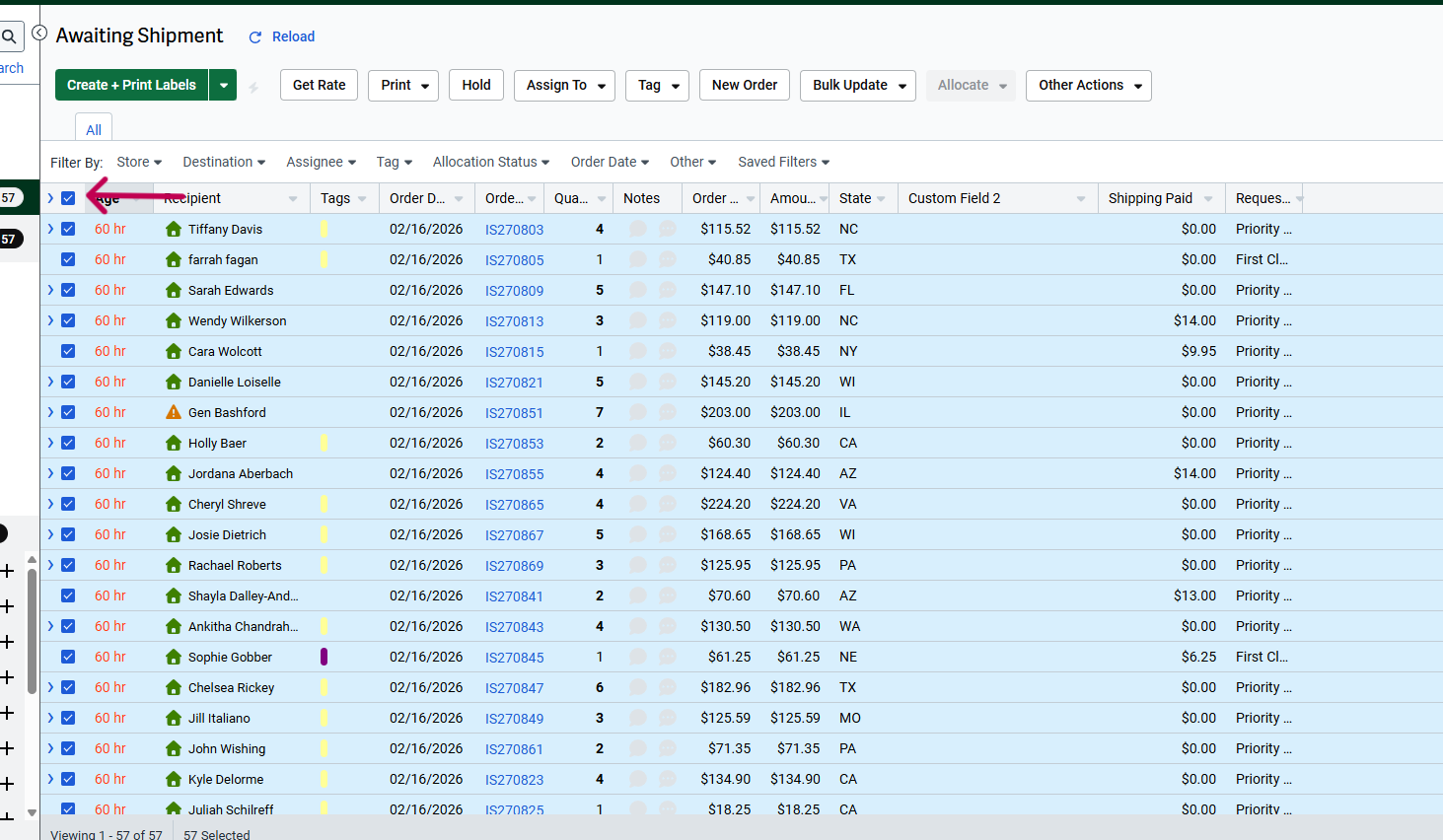
- Click on Print and then Click on Pick List
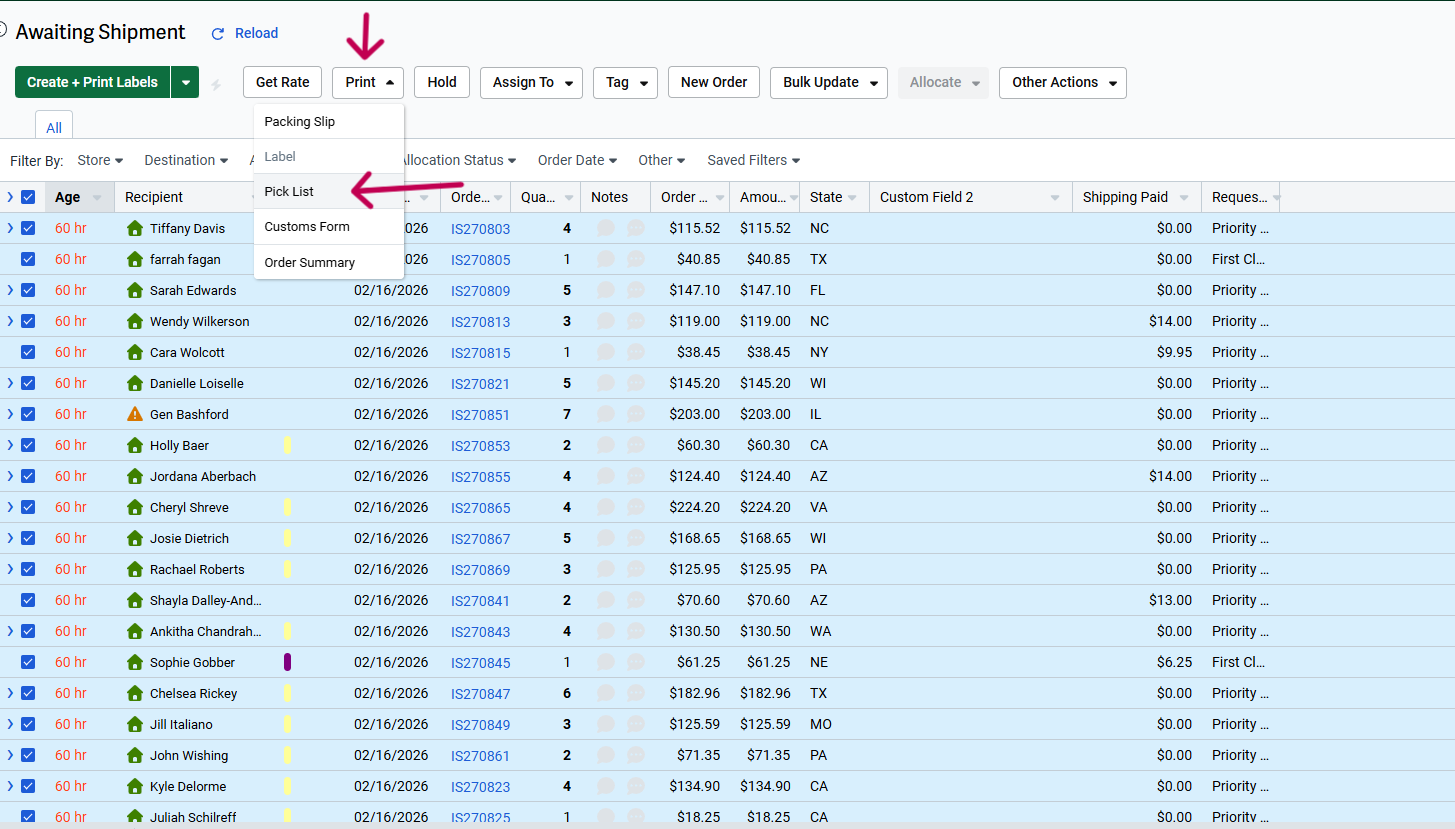
- Click on Download
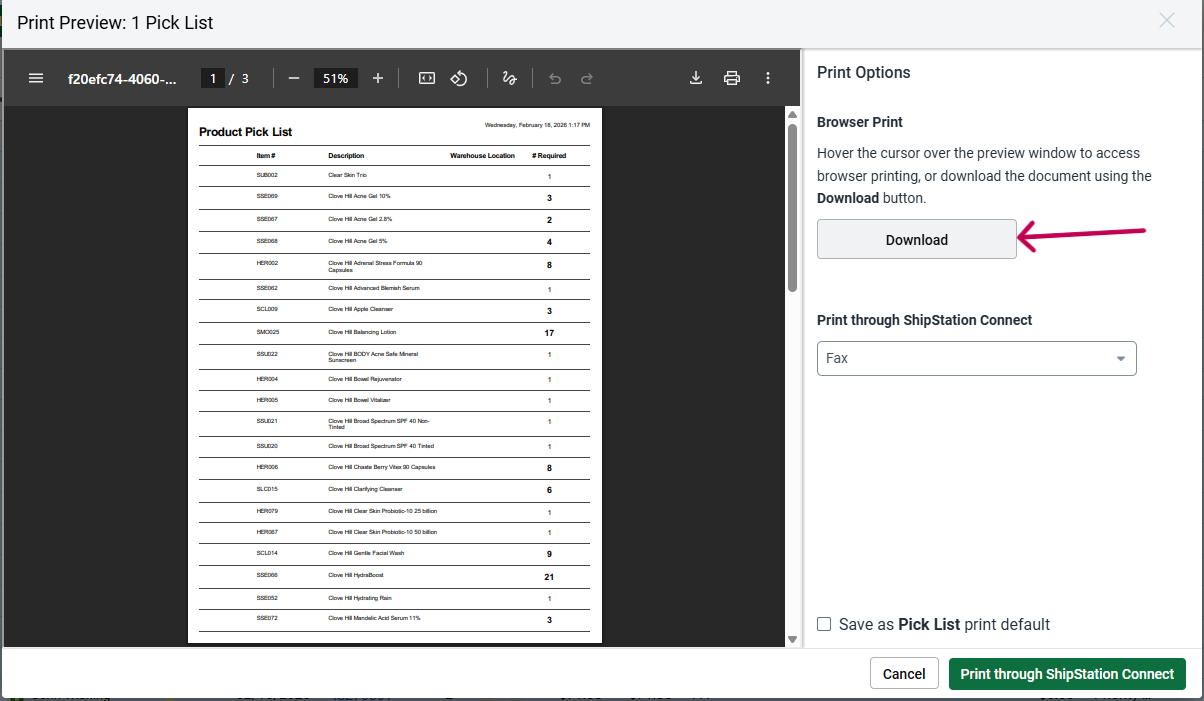
- Open the picklist from your Downloads Folder and have this on one screen.
- On another screen, log into the NSC QBO site:
https://app.qbo.intuit.com/app/homepage?launchSetup=false&ftuComplete=true
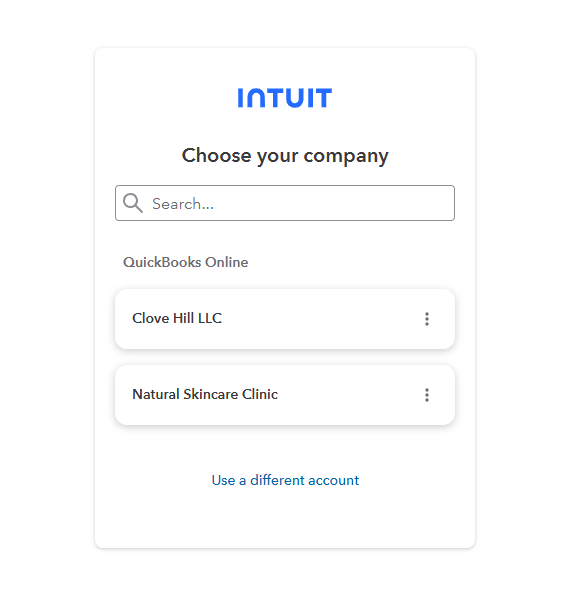
- Choose Natural Skincare Clinic
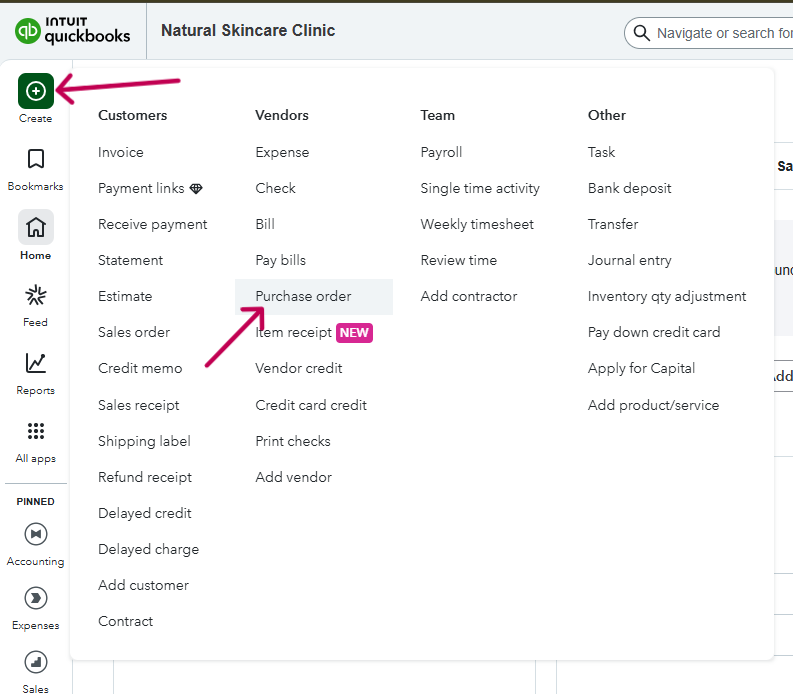
- Click on Create and then click on Purchase Order
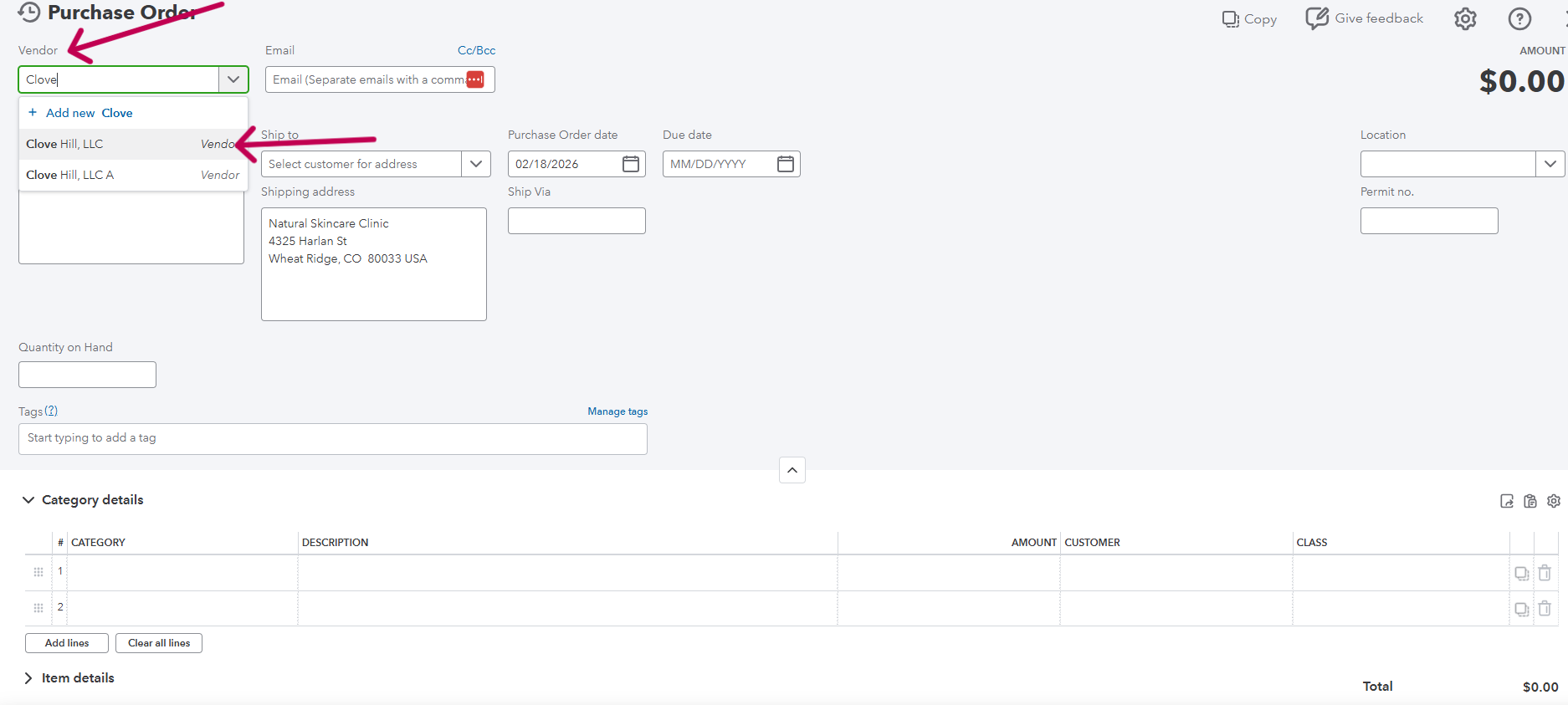
- Choose Clove Hill, LLC from the Vendor Dropdown Menu:
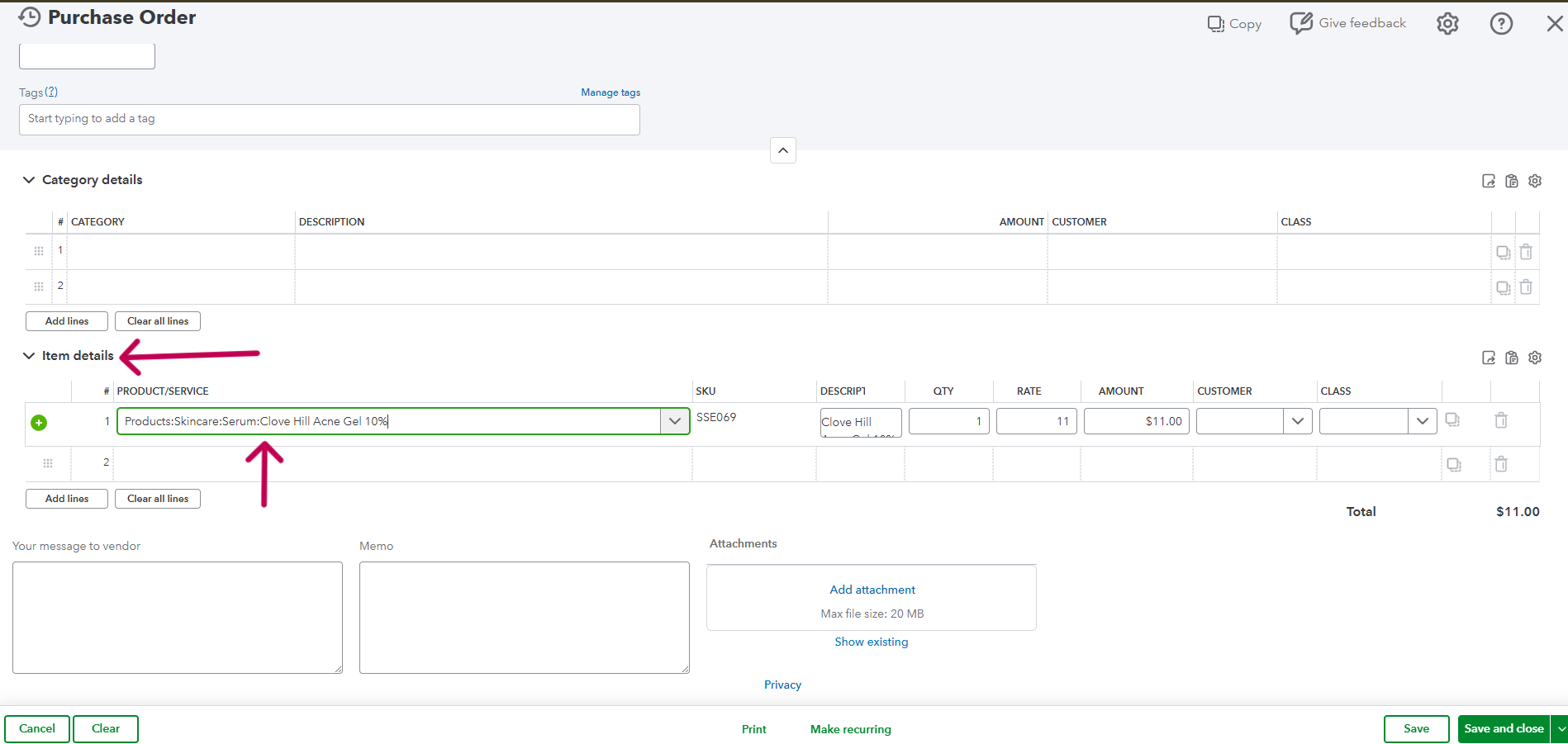
- Under Item Details, start entering the products you need to order
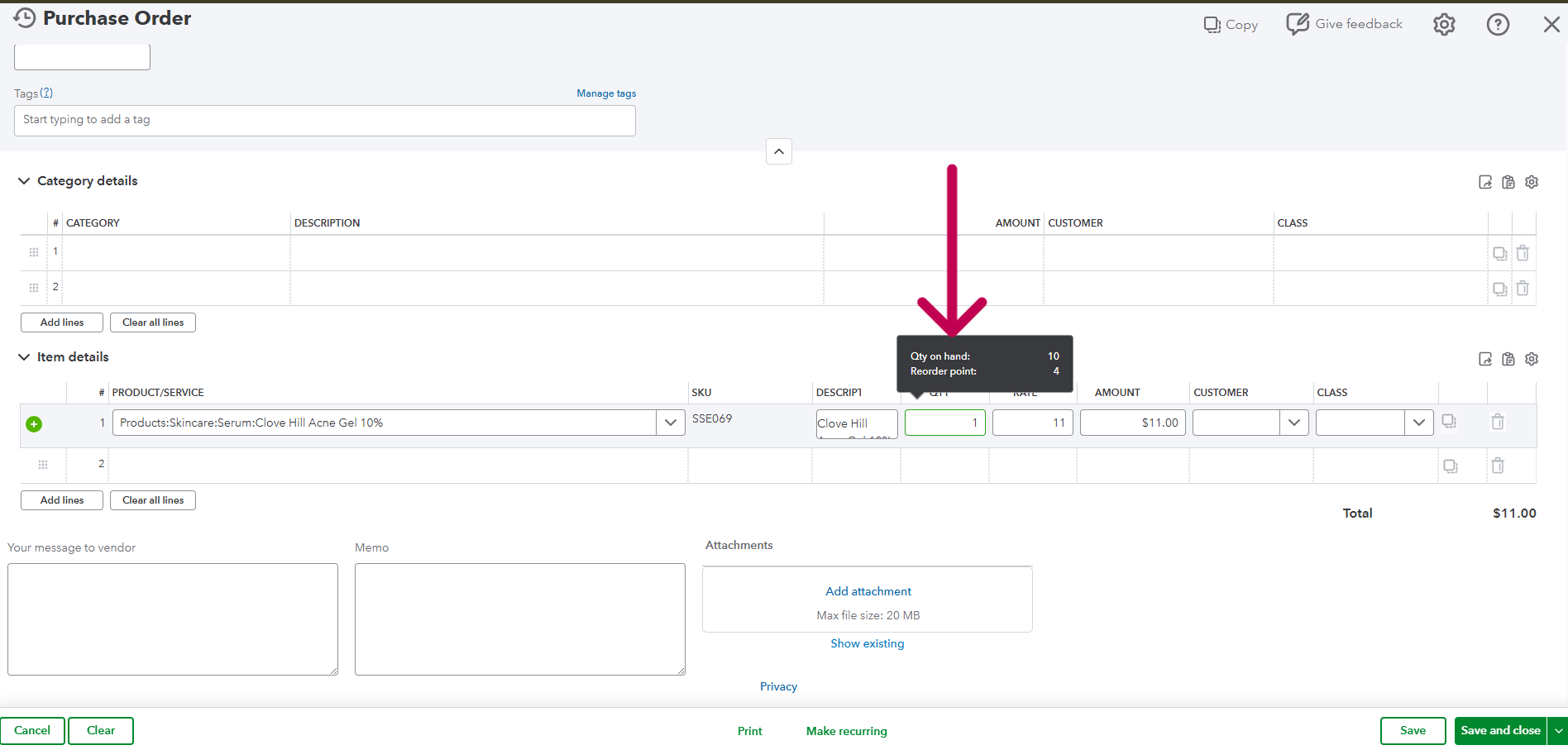
- Hover over the quantity box to show the Quantity on Hand. If there is more inventory than what is listed on the pick list, then you probably don’t need to order more until the next order. If the amount is negative, you will want to order what is listed on the Pick List, at the LEAST. If it’s a more commonly sold product such as Balancing Lotion, Hydraboost, Acne Gel 5%, etc than you will want to over order a bit more. EX: If the pick list is calling for 8 Acne Gel 5%, order 15. If Balancing Lotion is calling for 30 bottles, order 40.
- Wholesale Orders need to total at least $200, so make sure if you have to place a small order that it is over $200.
- Once you have finished filling in your Purchase Order Log Into https://shop-clovehill.myshopify.com/account/login
IMPORTANT: Make sure you are logged into the correct store, naturalacneclinic and NOT naturalskincareclinic, (this is SP)
- Add all of the products from the Purchase Order you just created to your cart.
PLEASE NOTE: Sometimes the full price of the products will show in your cart, but it will correct itself to the wholesale price once you are checking out.
- IMPORTANT: Once you are done adding all of the products to your cart, double check to make sure the Total on your PO matches the Total in your shopping cart.
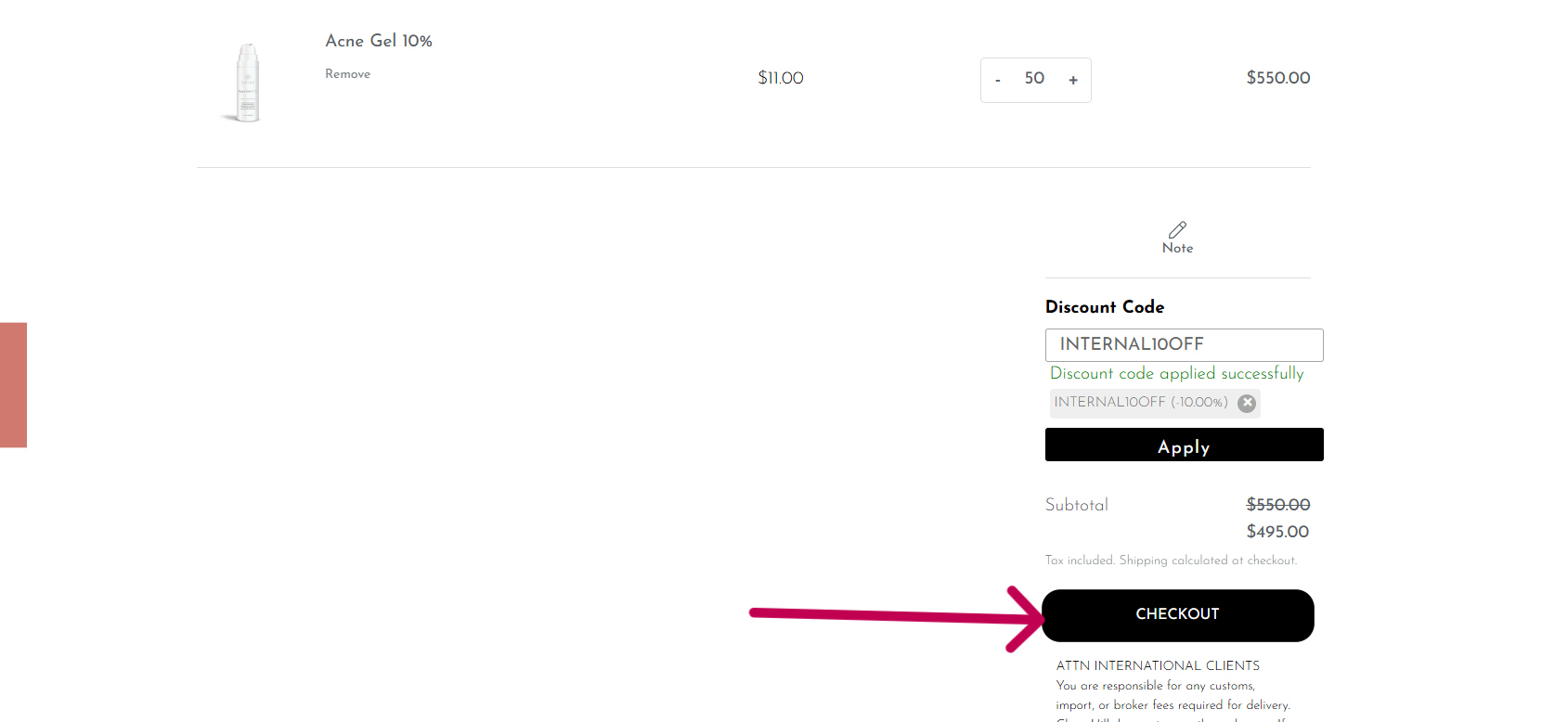
- Add the Discount Code: INTERNAL10OFF in the discount code field and click Apply
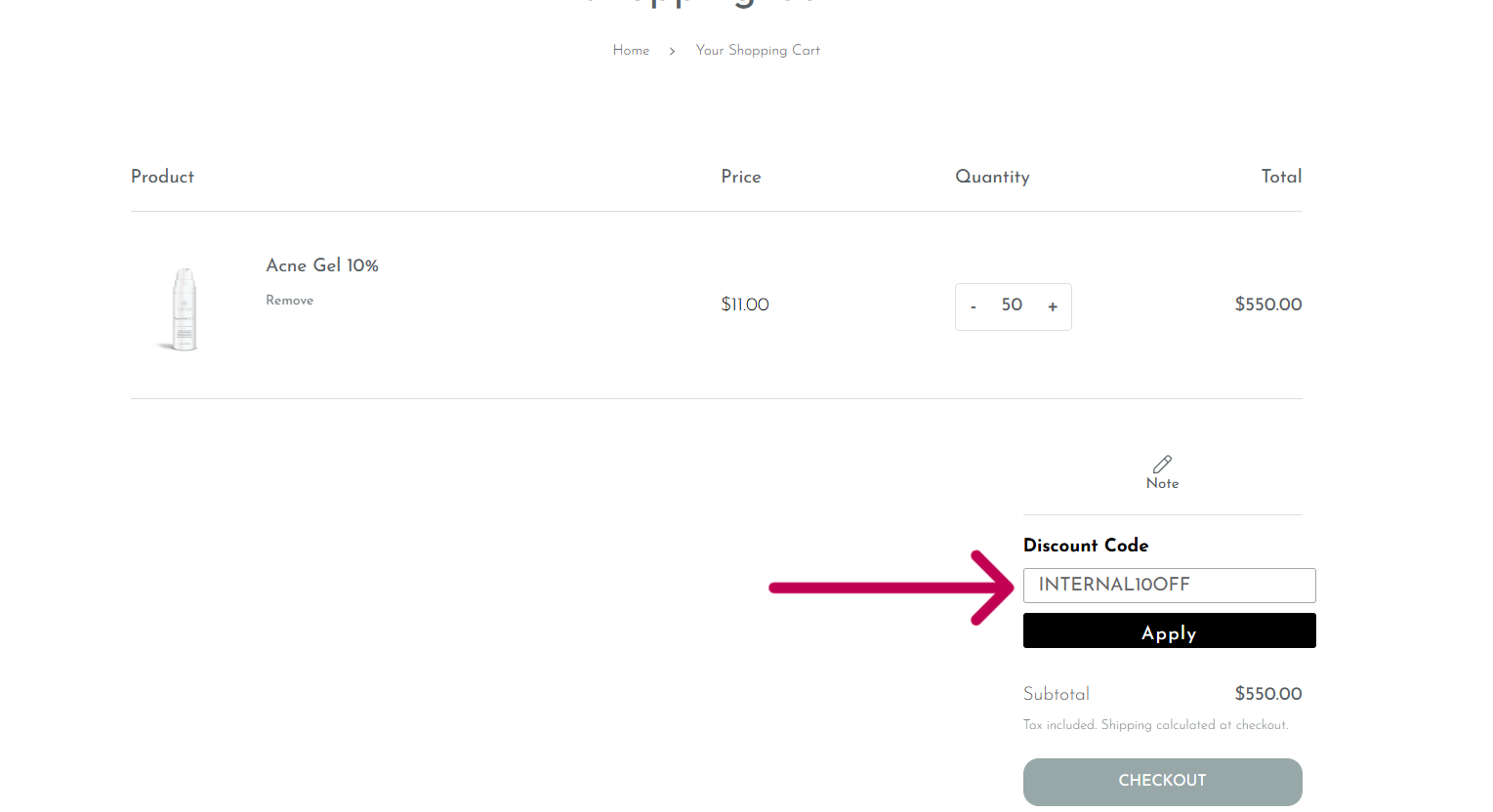
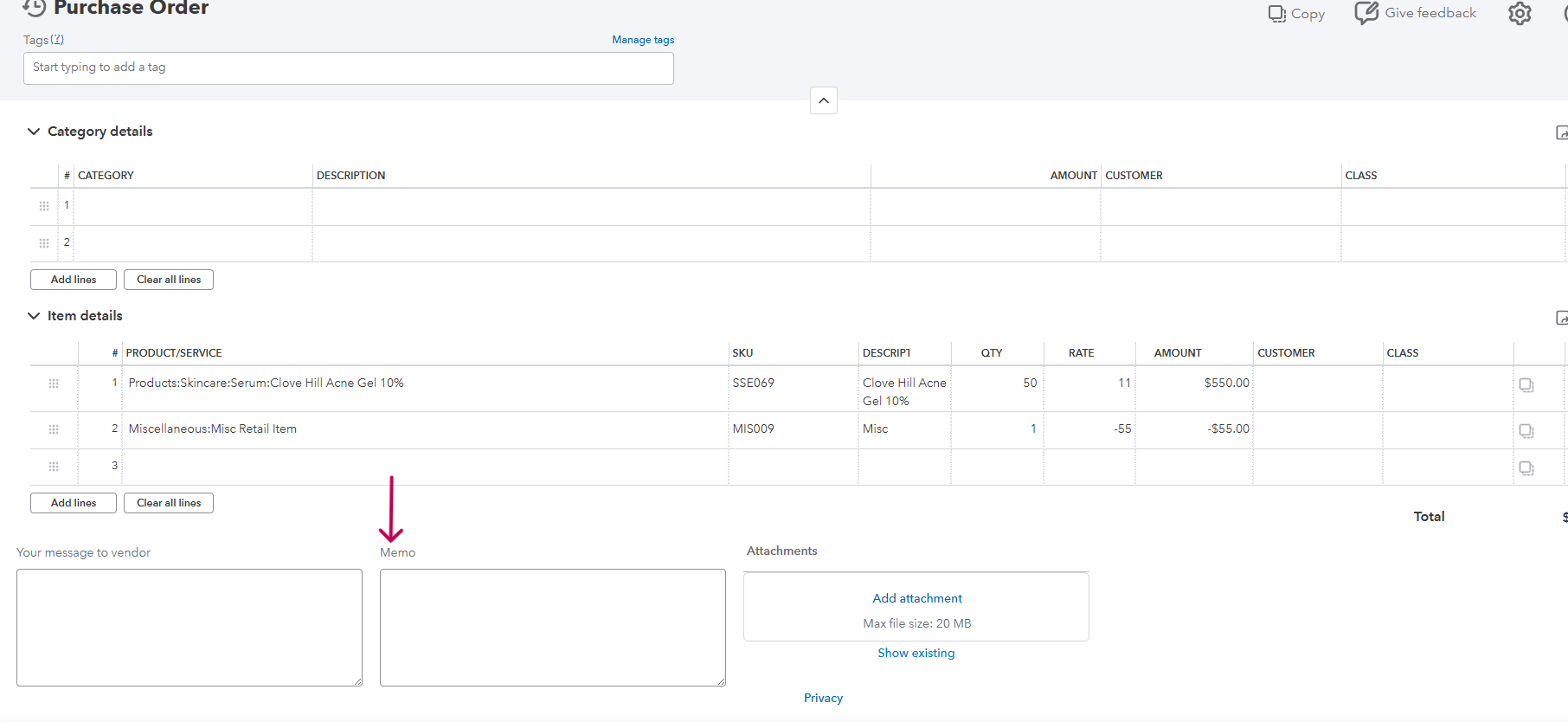
- Add the discount to your Purchase Order. Add Misc Retail under Item Details and make sure it’s a NEGATIVE amount.

- Click on Check Out
- Double check to make sure the contact is [email protected]
- Click on Cash On Delivery: We DON’T use a credit card to place these orders
- Unclick the Use shipping address as billing address and make sure the billing address is: Jessica Gremley, 4325 Harlan St. Wheat Ridge, CO 80033
- Check the totals again to make sure they match.
- Click on Pay Now
- Copy the Confirmation Number and paste it to the Memo Box on the PO in QBO
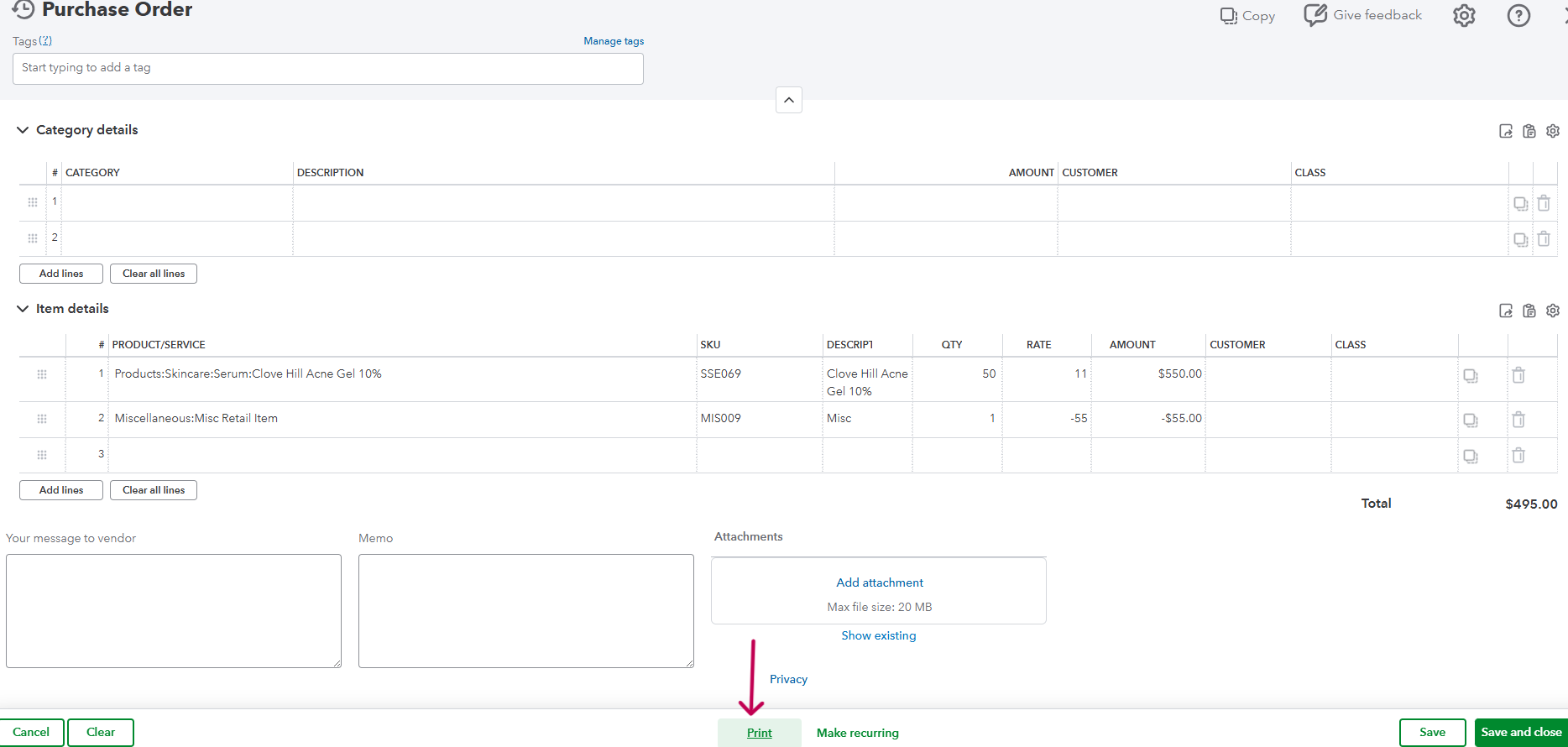
- In the PO, click on Print
- Click on the Download Icon
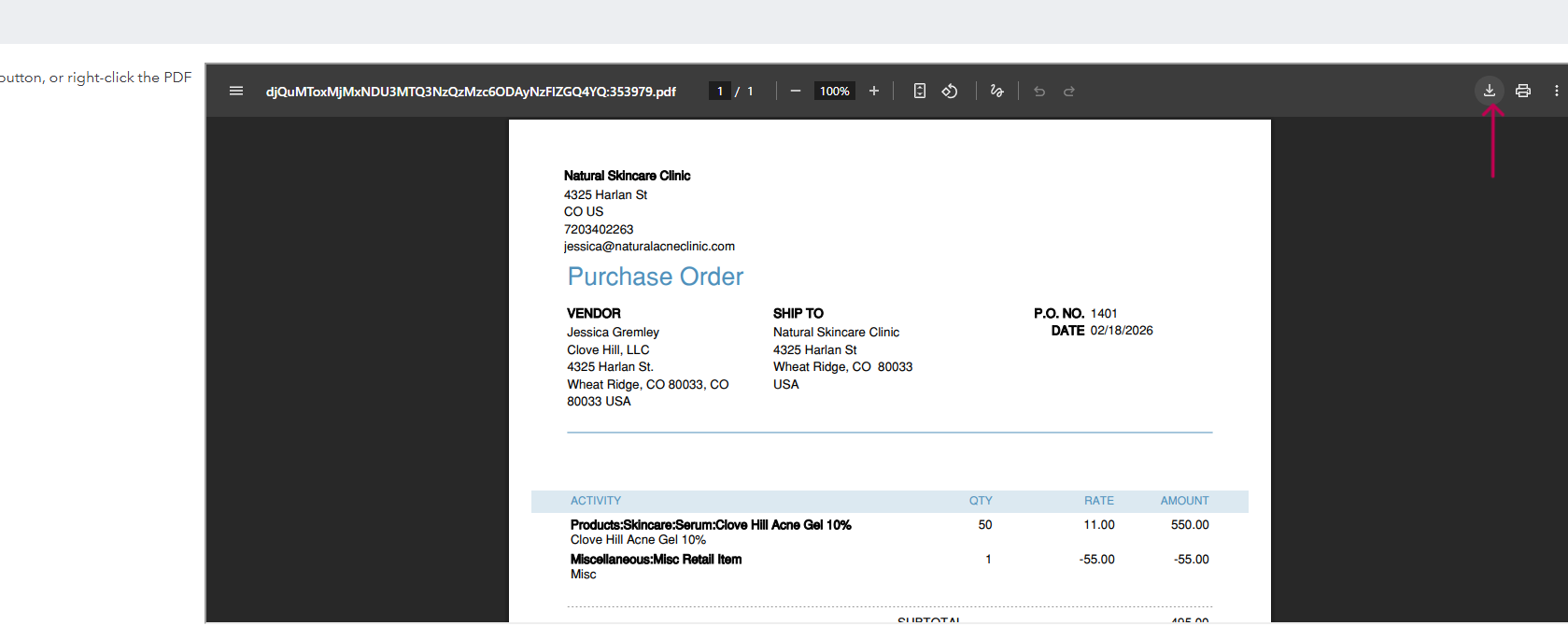
- Save the PO NSC PO (number of the PO) with the date.

